News > Pathoplexus announces support for raw reads
Pathoplexus announces support for raw reads
By the Pathoplexus Team - 22 September 2026
Pathoplexus is excited to announce that, as of today, you can optionally include raw sequencing reads in your submissions. By hosting raw reads data alongside the consensus sequences that were generated from them, we seek to encourage the sharing of a broader range of human viral pathogen data. By providing easy access to the raw reads, we also hope to facilitate the reproducibility of published analyses.
Since raw reads will be integrated into the existing submission system, all existing policies that govern consensus sequences on Pathoplexus will apply to any raw reads data we host.
Concretely, this means that:
- The data use terms you select during submission will apply to both the consensus sequences and any raw reads you provide alongside them.
- The raw reads data will be available for download on Pathoplexus once you release your submission.
- Pathoplexus will handle the submission of your raw reads data to the INSDC, either directly following your submission to Pathoplexus (for Open data), or after the restriction period has expired (for Restricted-Use data).
How it works
For an in-depth description of how to include raw reads in your Pathoplexus submissions, please read our documentation. The main requirements are that:
- your reads are in gzip compressed
fastqformat - paired-end reads are two separate files (interleaved files are not supported)
- human reads have been removed
- you provide some raw reads-specific metadata
Uploading raw reads is done via the new ‘Raw reads’ section, that is now included on both the bulk submission and individual sequence submission pages:
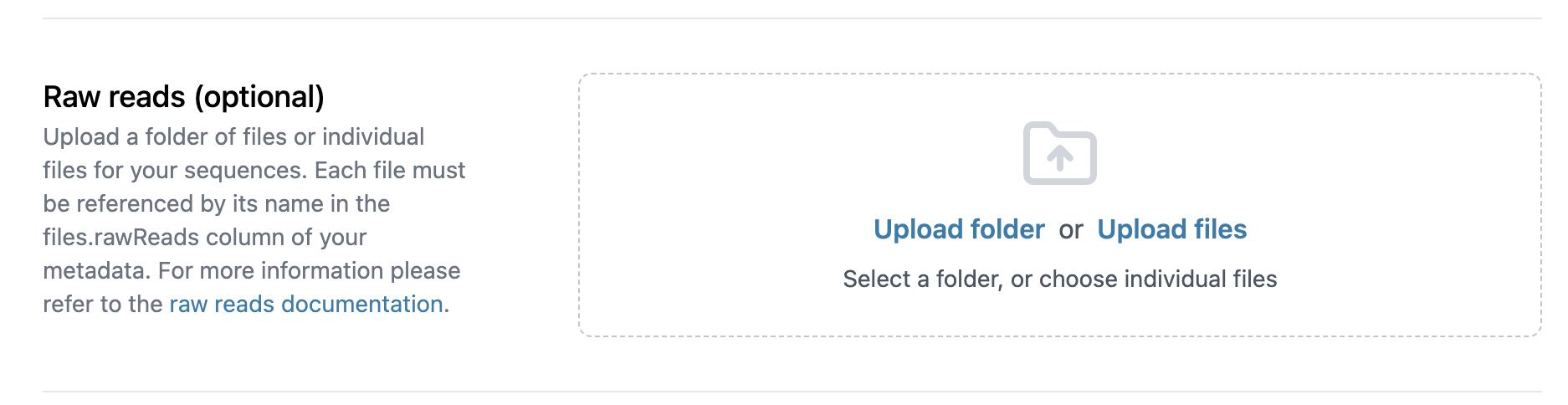
You can use this interface to select individual raw reads files to upload (‘Upload files’), or to upload the contents of an entire folder (‘Upload folder’).
For bulk submissions, you will additionally need to add a files.rawReads column to your metadata file to link each sequence to its corresponding raw reads file(s).
The rest of the submission flow remains unchanged: you select the Data use terms, acknowledge the submission terms, and approve your data for release after processing. Once released, your submission will become visible on Pathoplexus after a few minutes, along with any raw reads data you included.
Adding raw reads to existing sequences
If you’ve submitted sequences to Pathoplexus in the past, and haven’t uploaded the corresponding raw reads to the INSDC, you can revise your existing sequences to add the raw reads.
For a single sequence you can do this via the ‘Revise individual sequence’ form, which you’ll find by navigating to the sequence on the website and clicking ‘Revise this sequence’ (you must be logged in to do this). In the form, you can upload the raw reads files and add the required raw reads-specific metadata.
If you want to do this for a number of sequences, it is recommended to download the original metadata, add the raw reads-specific metadata and files.rawReads columns to your metadata file as outlined here, and submit the revision via our bulk revision page.