Uploading sequences
The process of submitting sequences to Pathoplexus consists of three sequential steps; sequence upload, review/editing, and approval. The first step is sequence upload and requires you to have created an account and to be part of a group. If you already have an account and belong to more than one group, make sure that the appropriate group you are currently submitting sequences for is selected from the drop-down menu in the top left before proceeding with the submission process.
Before starting the upload process, ensure that your data is correctly formatted. Every sequence must have a unique ID that can be used to link it with its metadata entry. Please, note that terminal Ns will be automatically removed during sequence preprocessing and will not be included in the submitted sequences.
The expected data format is as follows:
- Sequence data in
fastaformat with a unique fasta ID per sequence. The fasta ID is the start of the header up to and excluding the first white space character. For example the fasta header>seq_12has fasta IDseq_12. - Metadata for each sample with a unique
id.- When uploading through the API, only
tsvis supported. - When uploading through the website,
xlsxfiles are also accepted. - Each organism has its own metadata template available on the submission page.
- On the website, you can map columns from your file to the expected metadata fields using the Add column mapping option.
- When uploading through the API, only
Metadata and sequences will be matched using the id column in the metadata (i.e. the sequence with fasta ID seq_12 will be joined with the metadata entry with id of seq_12). You can also provide an additional metadata field called fastaIds containing a space-separated list of fasta IDs to link multiple sequences to a single submission, e.g. seq_12_A seq_12_B. This can for example be used when submitting multi-segmented pathogens.
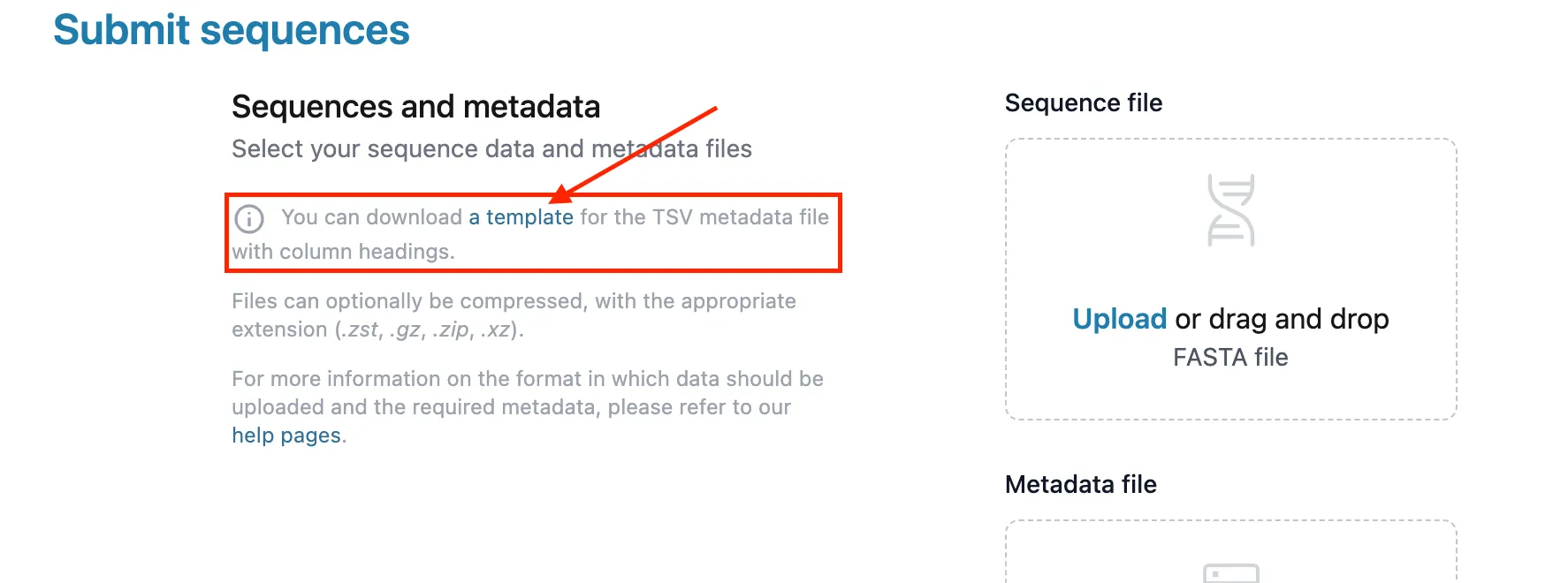
Files can also be compressed: accepted formats are .zst, .gz, .zip and .xz. Note that .xz metadata files can only be submitted through the API, not the website.
You can try out uploading sequences to our Demo Instance - it works just like the ‘real’ Pathoplexus, but is wiped regularly and no data is sent onward to INSDC. We also have some example data you can upload to the Demo Instance.
Multi-segmented Pathogens
Multi-segmented pathogens must have one unique id per isolate (i.e. one per pathogen sample containing all segments). Each segment will be a unique entry in the FASTA file with its own FASTA ID. Metadata is uploaded per isolate, meaning there will be a single metadata row per id. This row should include a fastaIds field listing all segment fasta IDs, separated by spaces.
Website
Uploading sequences via the website is an easy way to submit sequences without having to worry about any code.
- Log into your account, and then click ‘Submit’ in the top-right corner of the website
- Select the organism that you’d like to submit sequences for
- Drag-and-drop a
fastafile with the sequences and a metadata file with the associated metadata into the box on the website, or click the ‘Upload a file’ link within the boxes to open a file-selection box - Select the Terms of Use that you would like for your data. You can read more about the Terms of Use here. If you choose ‘Restricted’ - set the time limit for the restriction, up to 1 year.
- Select ‘Upload and proceed to Approval’ at the bottom of the page
The data will now be processed, and you will have to approve your submission before it is finalized. You can see how to do this here.
If you have selected Restricted in the terms of use for your sequences, a restriction period of up to one year from the date of submission will be set automatically. You can customize this to an earlier date of your choice by using the Change Date button before proceeding with submission.
You can also modify the restriction period after submission. Note you can only shorten the period or make sequences Open, you cannot extend the restriction period. You will need to be logged in as a user with the appropriate authorization to make these changes.
Uploading raw reads
Pathoplexus currently only accepts consensus sequence submissions. If you wish to upload raw reads, you can do so directly through the INSDC submission portal.
To ensure your raw reads are linked to your consensus sequence in the INSDC, both should be associated with the same BioSample and BioProject at the time of submission. We suggest you submit consensus sequences first to ensure metadata consistency.
Submission Scenarios:
-
Submitting the Consensus Sequence First (via Pathoplexus): After submitting your consensus sequence to Pathoplexus, use the biosample and bioproject accessions we provide (e.g., Bioproject Accession: PRJEB80643, Biosample Accession: SAMEA116354847) when submitting your raw reads to the INSDC.
-
Submitting Raw Reads First (via INSDC): If you submit raw reads to the INSDC first, create a biosample and bioproject during the upload process. Then, provide the raw reads accession in the metadata.tsv (e.g., insdcRawReadsAccession=SRR27477368) when submitting your consensus sequence to Pathoplexus. This allows us to link your consensus sequence to the raw reads in the INSDC.
Please contact us at submission@pathoplexus.org if you have any questions about submitting raw reads.
API
To use the demo instance instead of the main instance, please replace backend.pathoplexus.org with backend-demo.pathoplexus.org.
By using our API you agree to our Data Use Terms.
It is currently possible to upload sequences through an HTTP API. We also plan to release a command-line interface.
To upload sequences through the HTTP API you will need to:
- Retrieve an authentication JSON web token: see the Authenticating via API guide.
- Identify the Group ID of your group: you can find it on the page of your group (which can be reached from your user page).
- Send a POST request:
-
To upload sequences with the open use terms:
https://backend.pathoplexus.org/<organism>/submit?groupId=<GROUPID>&dataUseTermsType=OPEN -
To upload sequences with the restricted use terms:
https://backend.pathoplexus.org/<organism>/submit?groupId=<GROUPID>&dataUseTermsType=RESTRICTED&restrictedUntil=<restricted-until-date> -
API upload is available for all pathogens on Pathoplexus. You can find the correct term to use in place of
<organism>by using the value in the URL when you navigate to browse sequences from that Pathogen. For example, for West Nile Virus, the URL ishttps://pathoplexus.org/west-nile/search?and thus<organism>iswest-nile. -
The restricted-until date must be provided in the ISO format (e.g., 2024-08-27).
-
The header should contain
Authorization: Bearer <authentication-token>Content-Type: multipart/form-data
-
The request body should contain the FASTA and metadata TSV files with the keys
sequenceFileandmetadataFile
-
With cURL, the corresponding command for sending the POST request can be:
curl -X 'POST' \
  'https://backend.pathoplexus.org/<organism>/submit?groupId=<GROUPID>&dataUseTermsType=OPEN' \
  -H 'accept: application/json' \
  -H 'Authorization: Bearer <authentication token>' \
  -H 'Content-Type: multipart/form-data' \
  -F 'metadataFile=@<metadata file name>' \
  -F 'sequenceFile=@<fasta file name>'
Further information can be found in our Swagger API documentation.
As with the website, data will now be processed, and you will have to approve your submission before it is finalized. You can see how to do this here.